This is the maintenance asset register, not the accounting one. Depreciation and book values stay in your ledger. This register answers a different question: what does the building have that must be serviced, what governs it, how often, by whom, and where is the proof.
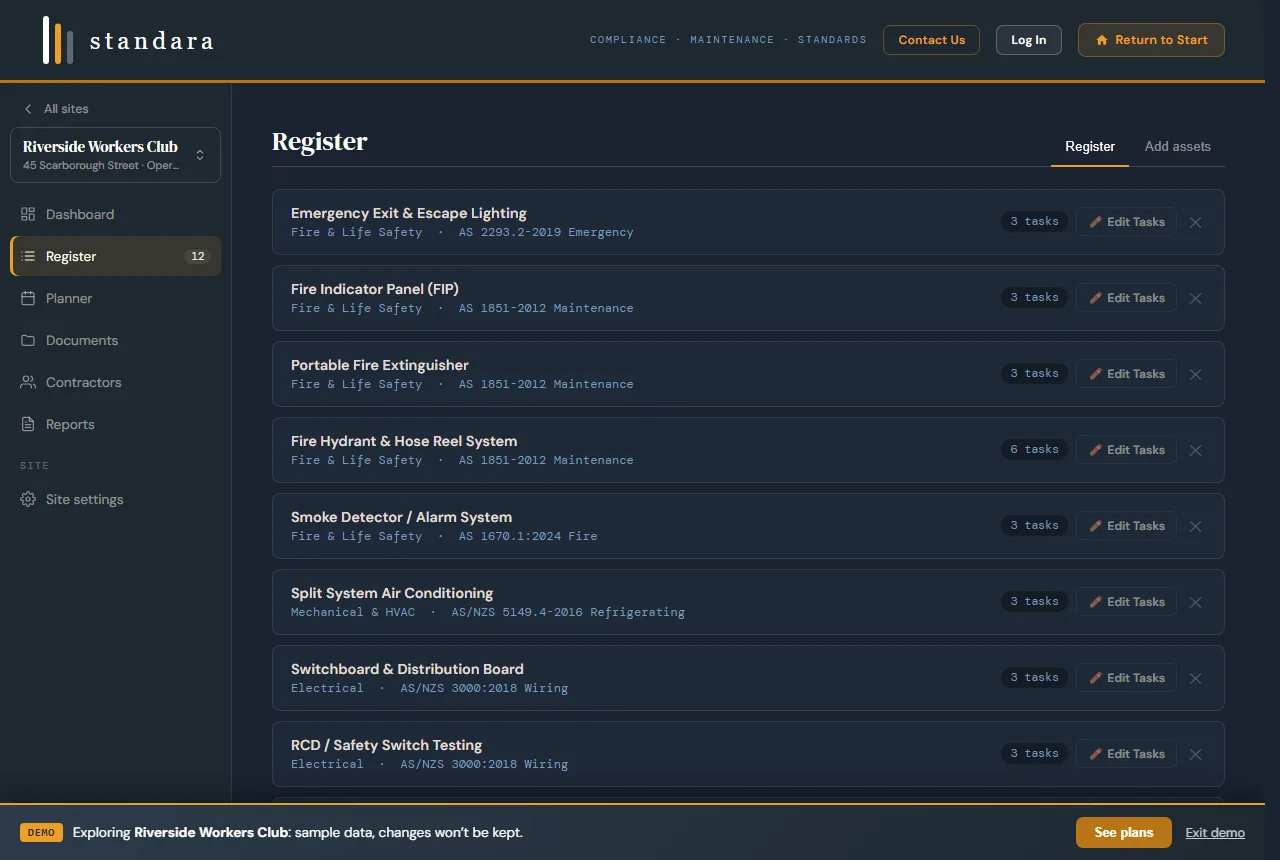
The register: each asset with its discipline, governing standard and task count. Demo data.
What the register holds
One row per asset, and the same fields every time:
- Asset ID, asset name and class
- Discipline: fire and life safety, mechanical and HVAC, refrigeration, electrical, hydraulic and plumbing, vertical transport, security and access, structure and fabric, and more
- Location: building, level, room or zone
- Make, model, serial number, install year, quantity, condition
- Governing AS/NZS standard, by designation
- Recurring tasks, frequencies, trade required, statutory flag
- Assigned contractor, last serviced, evidence reference, notes
The Excel template (or the CSV) carries exactly these columns with six example rows, and a second sheet explaining each field. Use it on the site walk, then paste the asset names into Standara.
From register to planner
Standara's library holds 78 asset types across 11 disciplines. Each carries its governing AS/NZS reference and its recurring tasks with frequencies, task descriptions and trade requirements: 350+ tasks and 40+ standards referenced by designation. When you add an asset to the register, the mapping and the schedule come with it, and the 12-month planner is generated from the register in one step. Edit any task, frequency or clause reference and the change flows through.
Typical mappings in a club or commercial building: fire detection, extinguishers, hydrants and sprinklers to AS 1851; emergency and exit lighting to AS 2293; switchboards to AS/NZS 3000; RCD testing to AS/NZS 3760; mechanical ventilation to AS 1668 with AS/NZS 3666 for microbial control; plumbing, hot water and backflow to AS 3500; lifts to AS 1735.
Getting an existing list in
- Open the site, select Register, then Add assets.
- Choose Bulk-add from a paste and paste the asset names from your spreadsheet, one per line. Names from an existing register or a contractor's invoice work.
- Standara matches each line against the library and lists anything it could not match. Assign those by hand, or leave them out.
- Review the register, then build the planner.
A register of forty assets takes about ten minutes this way. How to build a facilities asset register covers what to capture on the site walk before you get to this step.
What you can do with it
- Plan. The 12-month planner with year tabs, carry-over of unfinished months and a written-off record for anything that will not be done.
- Assign. One contractor per discipline, from a directory that holds their licence and their public liability, professional indemnity and workers compensation cover with expiry dates.
- Log. Reactive callouts against the same asset base, with a work order reference, priority, cost and status (Professional plan).
- File. Service reports, certificates and photos by discipline (Professional plan).
- Report. Full and summary compliance reports as PDF; the register and schedule as Excel or CSV.
Pricing
Prices in Australian dollars, plus GST. Standard is $149 per month or $1,489 per year for one site. Professional is $399 per month or $3,999 per year for up to three sites. Enterprise is by quote. Compare the plans.
Prefer it built for you?
Standara Capture is the done-for-you path: a practising facilities manager walks your site, captures every maintainable asset with a nameplate photo, builds the standards-mapped register and the planner, and hands it over live in Standara. Fixed quote after a short scoping call, servicing NSW and South-East Queensland. Request a scoped quote.
Common questions
Is this a fixed asset register for accounting?
No. Standara is a maintenance asset register: the plant and safety systems a building has to service, with the standard that governs each one and the schedule that follows. Depreciation and book values stay in your accounting system.
Can I import my existing spreadsheet?
Yes. Paste the asset names one per line into Bulk-add from a paste. Standara matches them against its library and shows anything it could not match for you to assign by hand.
Does it map the standards automatically?
Yes. Each library asset type carries its governing AS/NZS reference and its recurring tasks and frequencies. When you add the asset, the mapping and the schedule come with it. Standards are referenced by designation only.
Can I export the register?
Yes. The register and the schedule export as Excel or CSV, and the compliance report as PDF.
Related
- How to build a facilities asset register: the field list, the classification method and the review cycle.
- Planned preventative maintenance software: what PPM software has to do and how Standara does it.
- Facility management software for Australian buildings: the whole system for one to three sites.